Help Your Battery Stay Warmer on Winter Mornings with Dr.EV
Charging naturally produces heat inside your battery. In winter, keeping charging going closer to your morning departure can help you start your drive with a warmer battery.
If charging finishes at midnight and you leave at 7:30 a.m., the battery has several hours to lose that warmth. Dr.EV’s Charge Completion Time lets you aim to finish charging closer to when you leave.
You choose the time, and Dr.EV automatically adjusts the charging current to reach your selected battery charge limit around that time.
To use it:
Plug into an AC charger and start charging.
Open the Charge page in Dr.EV and find Charge Completion Time Settings.
Tap Set and choose your morning departure time—for example, 7:30 a.m.
Tap Apply Settings and check that your chosen time appears.
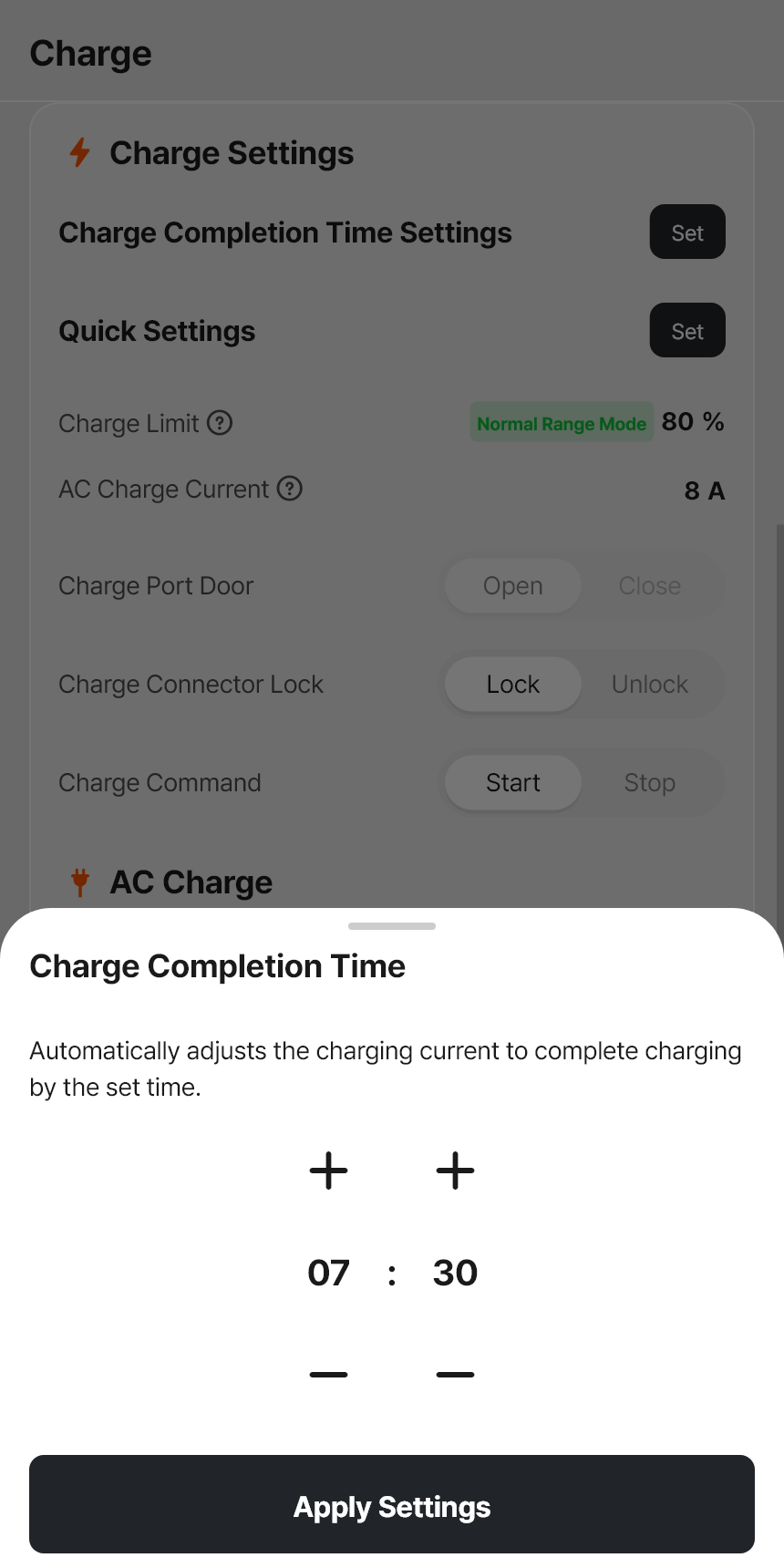
Choose your departure time, then tap Apply Settings. This example uses 7:30 a.m.

Check that your chosen completion time appears.
Keep the charge limit recommended for your vehicle. You do not need to charge to 100% to use this feature.
As charging continues toward morning, it continues producing heat inside the battery. How much warmth builds up depends on the charging power, outdoor temperature, and where you park. The finish time is also approximate.
Enable the feature for each charging session you want to manage. It turns off when charging completes or you unplug.
Tesla also recommends finishing charging near departure to reduce the time the battery spends cooling before your drive. Tesla Owner’s Manual


Comments